![logo ProovStation email.png]](https://kb.proovstation.com/hs-fs/hubfs/B2B/Logo/logo%20ProovStation%20email.png?height=40&name=logo%20ProovStation%20email.png)
1- Check frequency
To ensure the good behaviour of the CarStation, it is recommanded to perform visual checks once a week.
2- Visual checks / verifications
2.1- Car path and CarStation surrondings
Surrondings of the CarStation need to be clean to ensure no obstacle can interfer with the CarStation and that people can drive correctly through the CarStation.
⇒ Please check the car path area :
- 1,5 m before the CarStation entrance
- 2 m after the CarStation exit
- All the area between the 2 lightning "Totem" / column
The area to check is drawn in blue the picture bellow.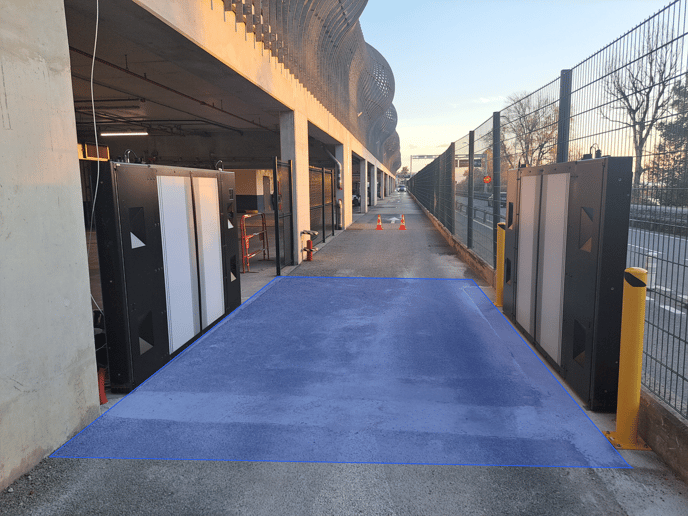
⇒ Depending the results, perform the following actions
| Check results | Actions to perform |
| Obstacle in the car path | Remove the obstacle |
| Car parked very close to the car path or in the car path | Remove the car |
| Anything new on the surrondings (signalisations, new installation ...) | Advise ProovStation Customer Support (support@proovstation.com) |
2.2- Specific areas
Several cells need to be clean / not facing an obstacle to ensure the CarStation to work properly.
⇒ Please check the following specific areas :
→ Camera windows on each totems
→ Holes facing sensors on each totems
→ Top of each totems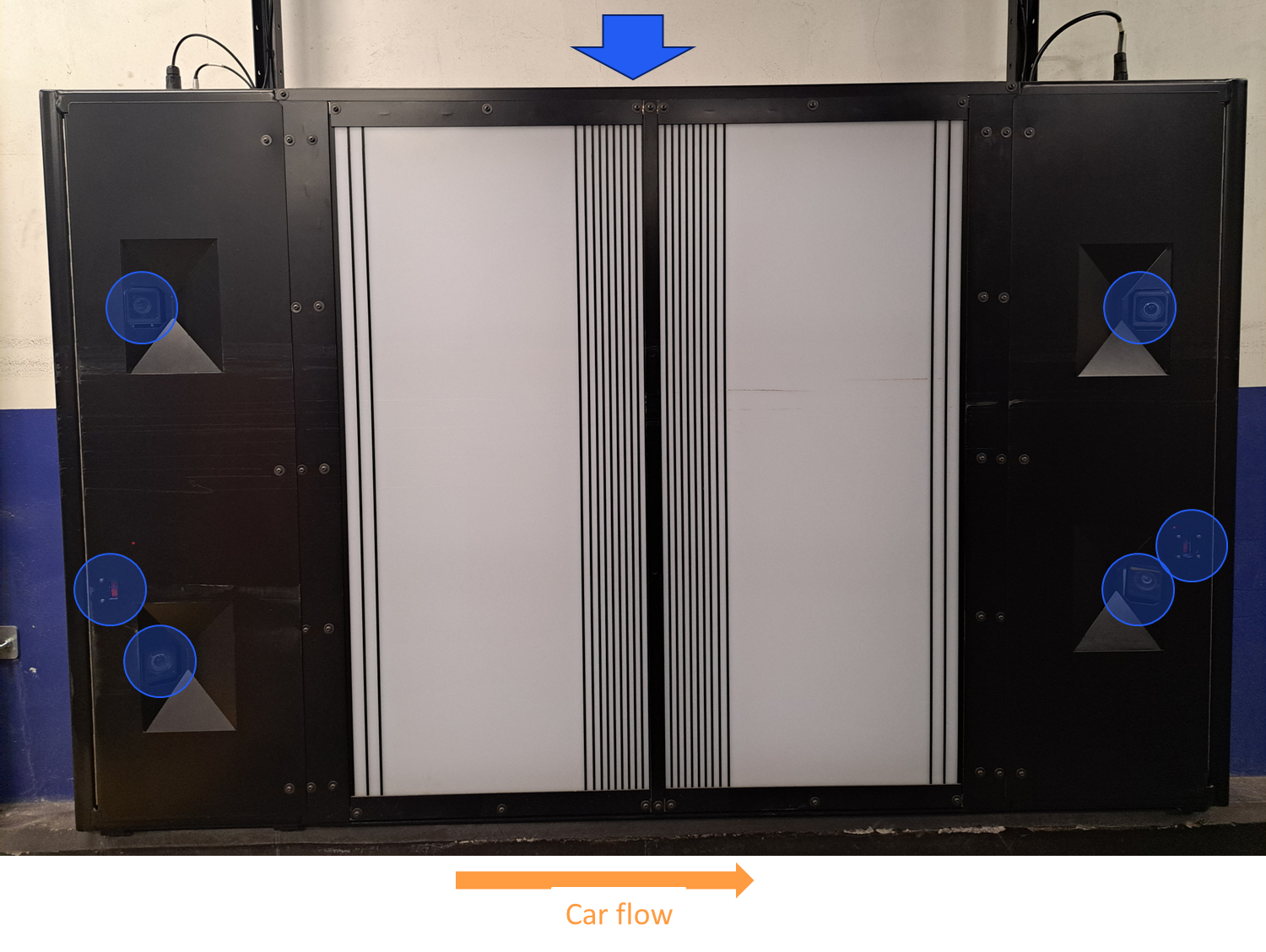
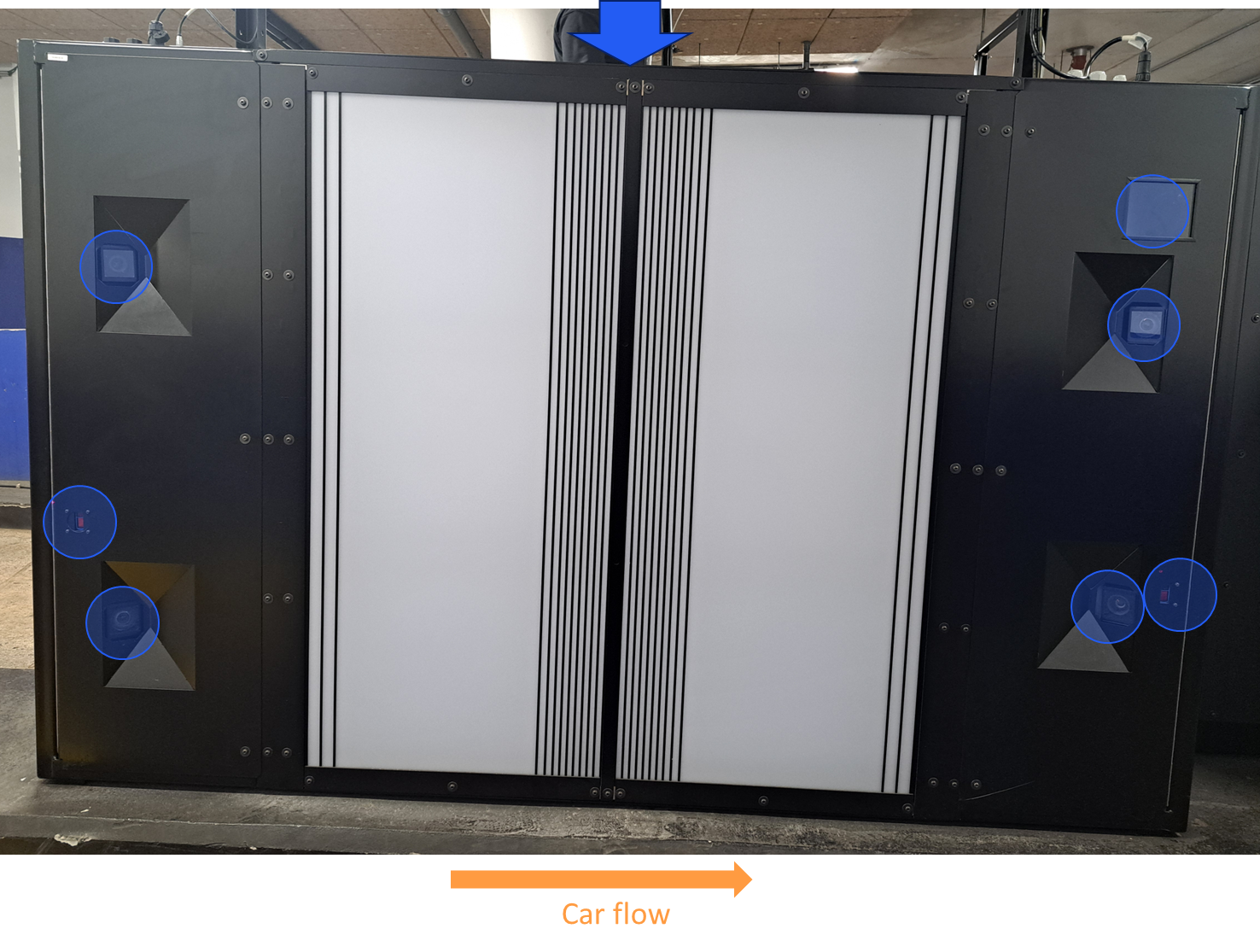
⇒ Depending the results, perform the following actions :
| Check results | Actions to perform |
| Dust or obstacle (trash ...) close to the totem, over it or under it | 1- Clean all the area close the Totem, under it and over it 2- Make sure all the area is clean and free of obstacles |
| Fairing hole closed / ostruated by an obstacle |
Remove the obstacle and ensure all fairing holes are clean and that cameras / sensors are visible through them. NB : Spider webs can also disturb the sensor signal. So please remove them and make sure the holes are totally free of obstacle |
| Camera window not clean |
Please clean the camera lenses if you observe drops / dust on it using a microfiber tissu |
| Anything new (traces of car that hit the gantry, rust ...) | Please take pictures and advise ProovStation Support (support@proovstation.com) |