![logo ProovStation email.png]](https://kb.proovstation.com/hs-fs/hubfs/B2B/Logo/logo%20ProovStation%20email.png?height=40&name=logo%20ProovStation%20email.png)
1- Localize the server
- Find the informatic rack that should be close to the CarStation
- Open the informatic rack
- Localize the server
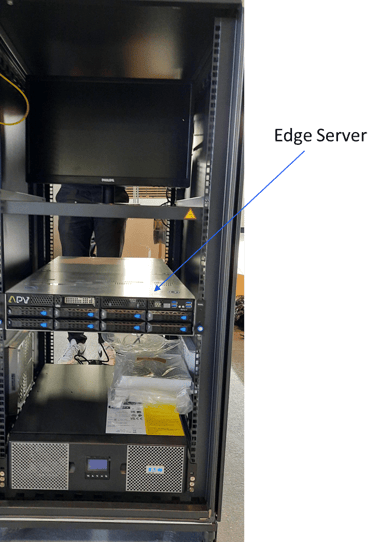
2 types of edge servers are used in CarStations. So it can look slightly different than in the picture above
2- Server reboot
2.1- Usual reboot
- Localize the start button
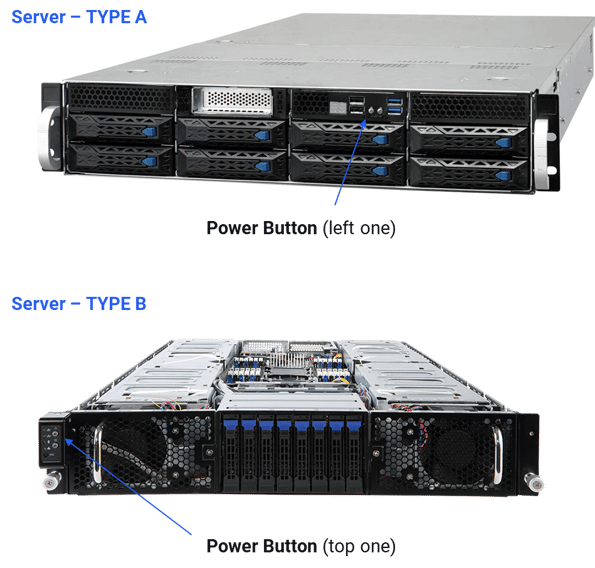
- Press shortly (1s) the Power button
2.2- Full reboot
- Make sure the server is OFF
A server is OFF when :
- It is silent / quiet
- No message on the control screen
- No LED blinks on the front or back face except LEDs close to the power supply
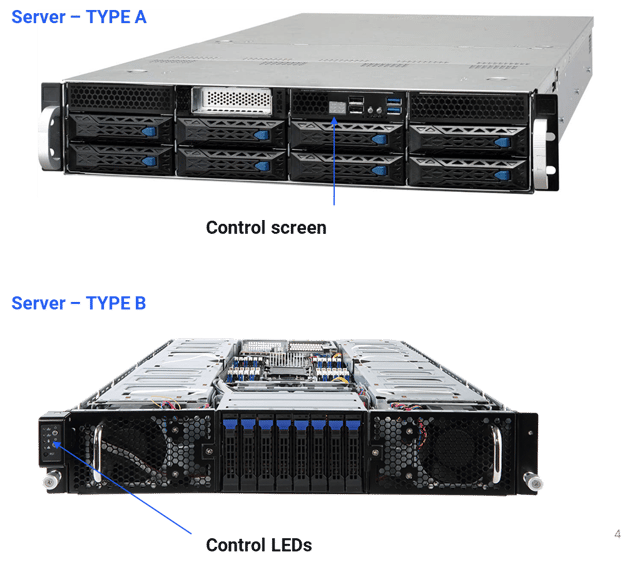
If the server is not off, Press the power button for 10s untill the server switches OFF. And wait for 10s before going to the following step
- Access the back of the informatic rack
- Open the informatic rack back door
- Localize the server
- Remove server power supply wires
→ Push the small tongue on the right / out from the wire
→ Remove both wires
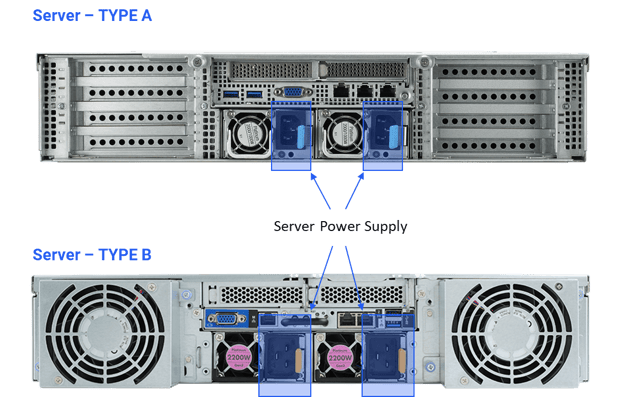
- Access the front of the informatic rack
- Press the server power button for 10s
- Access the back of the informatic rack
- Place back the server power supply wires
The server can automatically starts when you insert the power supply wires
- Access the front of the informatic rack
- Press the server power button (1s)