![logo ProovStation email.png]](https://kb.proovstation.com/hs-fs/hubfs/B2B/Logo/logo%20ProovStation%20email.png?height=40&name=logo%20ProovStation%20email.png)
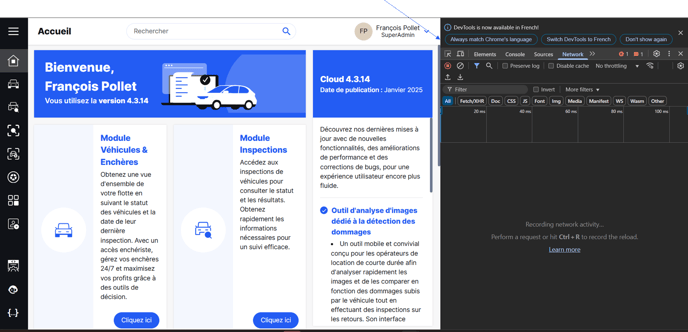
1- Open the console
You need to be connected on web browser, on the internet page that encounter an issue
- Press the F12 key
→ A window opens on the right
2- Check needed logs
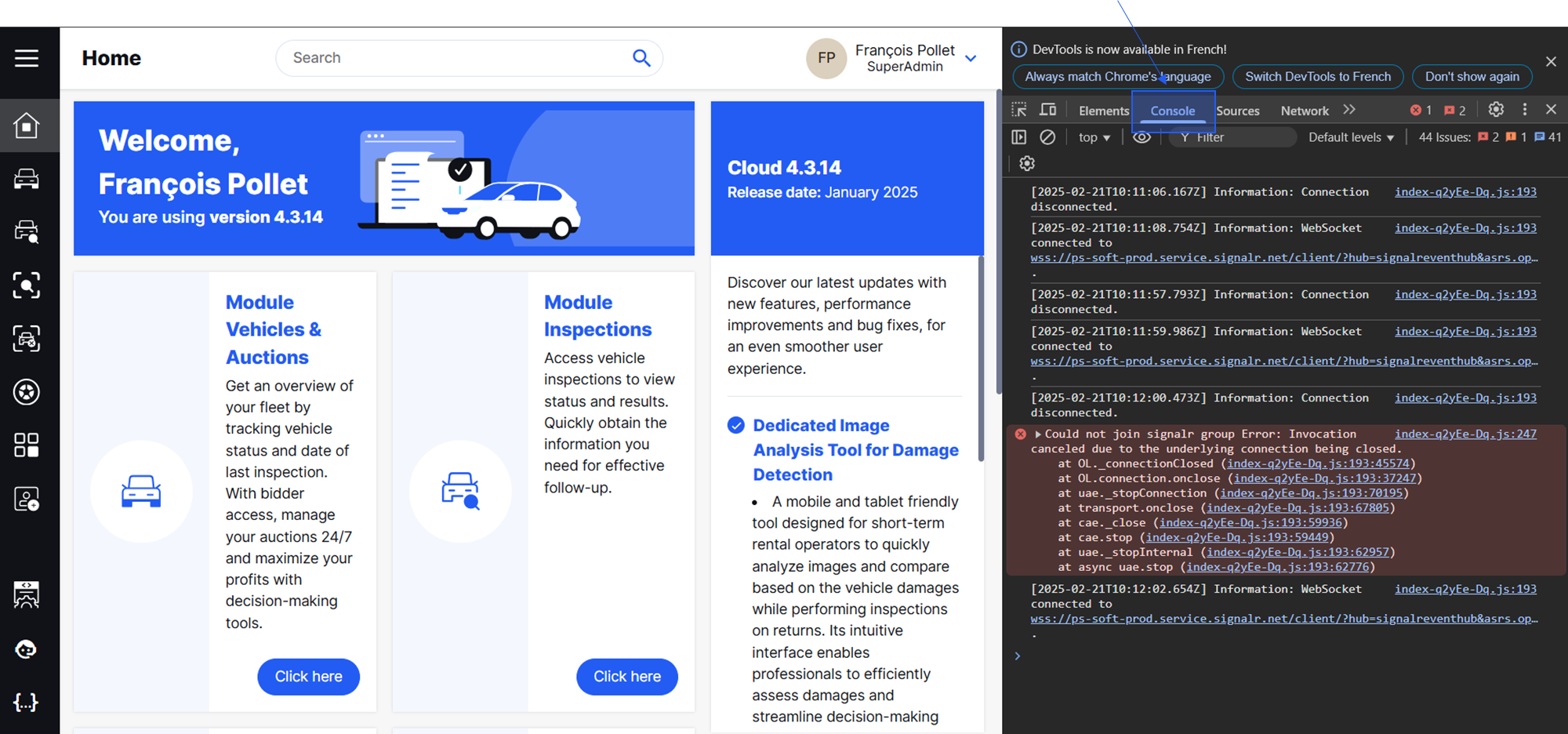
2.1- Console logs with eventual errors
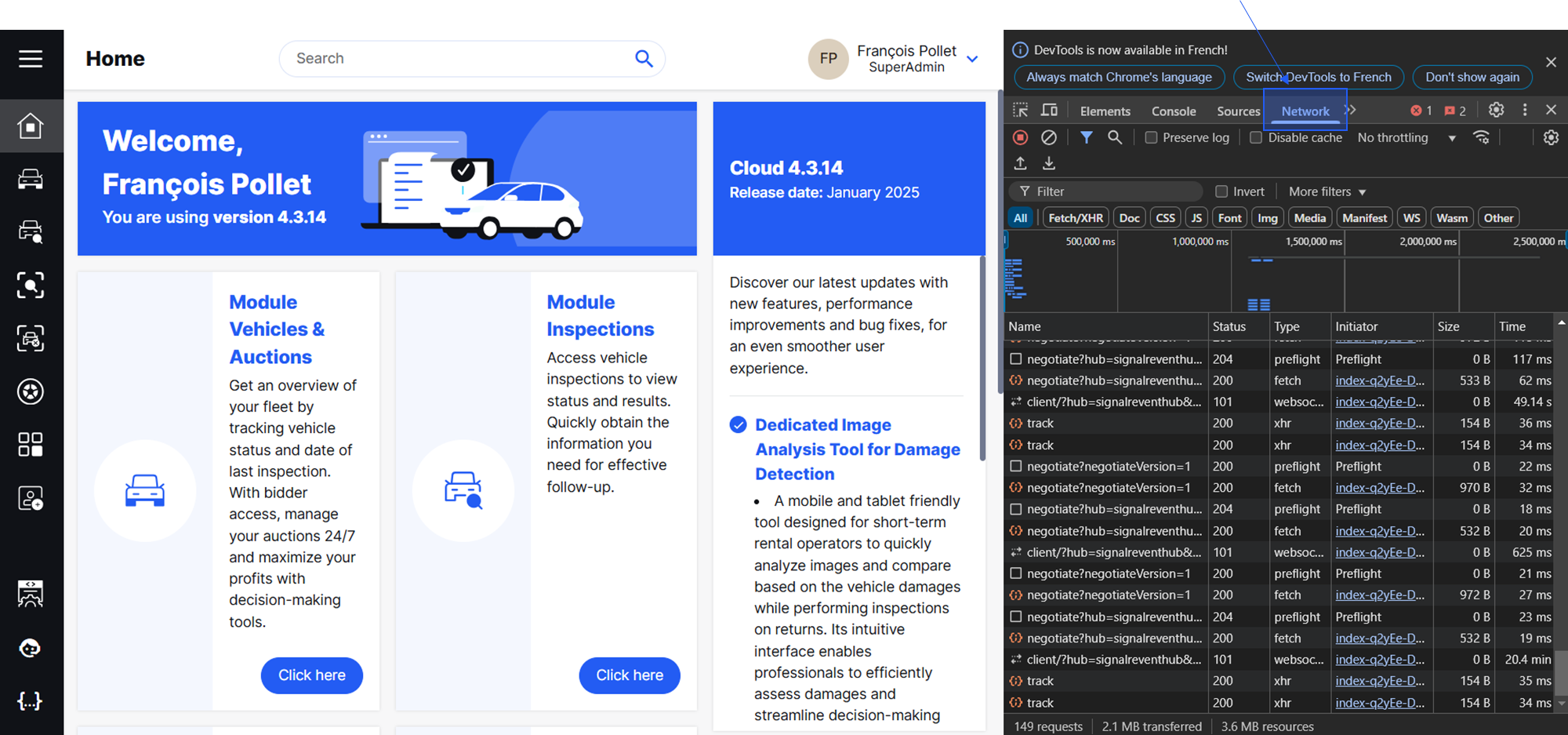
2.2- Network logs with eventual errors
- Click on Network
- Click on Export HAR
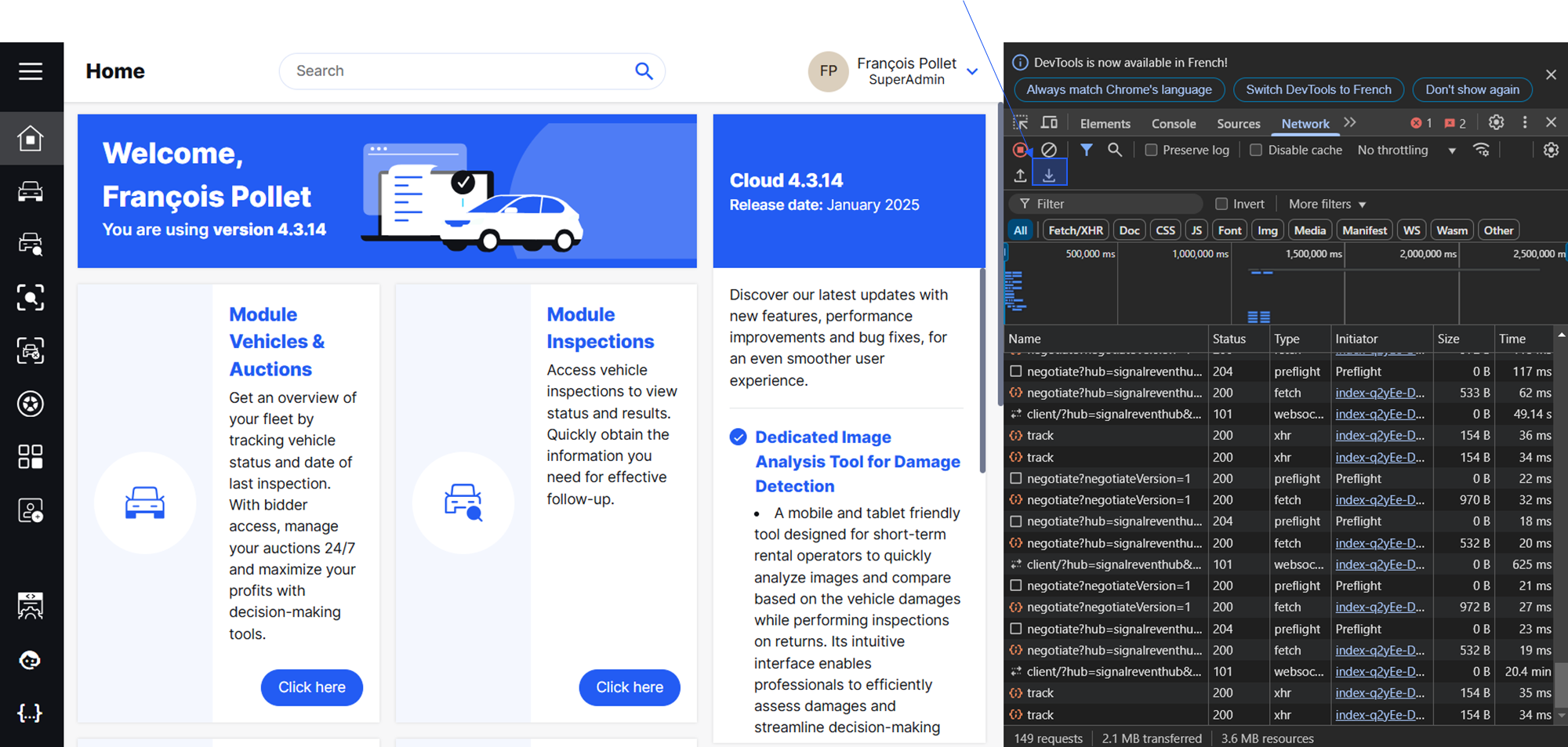
- Send the downloaded file to support@proovstation.com